
离线 · 无上传 · 浏览器本地完成Offline · no uploads · runs in the browser
TXT 转换:全部可用目标TXT conversions: every available target
纯文本没有结构,只有字符与换行。这条管线因此不假装认得标题或列表:转成 HTML 时整段放进 `<pre>`,转成文档时保留空白与等宽排版。唯一的例外是文本本身就是 JSON——那时它才有行列可谈,数据类目标也才成立。Plain text has characters and line breaks, not structure. This pipeline therefore does not pretend to recognise headings or lists: HTML wraps the text in `<pre>`, and document routes keep whitespace and a monospace layout. The one exception is text that is already JSON — only then are there rows and columns, and only then do the data targets apply.
全部可用目标Every available target
-
MarkdownMarkdown 1 步1 step
纯文本 (TXT)plain text (TXT) MarkdownMarkdown
浏览器本地把 .txt 包成带围栏的 Markdown 代码块:内容原样保留,围栏长度会按文本里出现的最长反引号串加长,所以你的三反引号不会把结构撑破。它不猜标题、不猜列表——那是"值保真"与"替你排版"的区别。Wrap a .txt in a fenced Markdown code block verbatim: the fence grows past the longest run of backticks in your text, and it guesses no headings or lists.
-
HTMLHTML 1 步1 step
纯文本 (TXT)plain text (TXT) HTMLHTML
把纯文本包成一个能直接打开的 HTML 页面:字符逐一转义、换行保留为 `<br>`、整段落在 `<pre>` 里,不把任何内容当标记解释。Plain text becomes an HTML page you can open: characters escaped, line breaks kept, the body wrapped in `<pre>` with nothing interpreted as markup.
-
Word (.docx)Word (.docx) 2 步2 steps
纯文本 (TXT)plain text (TXT) HTMLHTML Word (.docx)Word (.docx)
把纯文本变成 Word 打得开的 .docx:换行、缩进与制表符原样保留,排版交给 Word。批量、可预览、零网络请求,不经过任何在线转换服务。A plain-text file becomes a .docx Word opens: line breaks, indentation and tabs preserved, layout left to Word. Fully offline, never sent to a service.
-
PDFPDF 2 步2 steps
纯文本 (TXT)plain text (TXT) HTMLHTML PDFPDF
在浏览器里把 .txt 排成 PDF:整篇进一个 <pre> 块,缩进与对齐照原样保留,再按 A4 切页。不上传、不联网。The whole file goes into one <pre> block, so indentation survives, then it is cut into A4 pages. Offline, in your browser.
-
Excel (.xlsx)Excel (.xlsx) 4 步4 steps
纯文本 (TXT)plain text (TXT) HTMLHTML JSONJSON CSVCSV Excel (.xlsx)Excel (.xlsx)
四步链:`.txt` 整段包进 `<pre>`,按 JSON 解析、摊成 CSV、再写工作簿。数字只在字节能逐字回来时才成数,16 位以上留在文本。全程离线。Four steps: the text is wrapped in a pre block, parsed as JSON, spread into CSV and written as a workbook. Only round-trip values become numbers.
-
CSVCSV 3 步3 steps
纯文本 (TXT)plain text (TXT) HTMLHTML JSONJSON CSVCSV
`.txt` 里是一段 JSON 数组时:键名取并集当表头、每条记录一行,没有键的元素写进合成的 `_value` 列而不是丢掉。全程离线。A JSON array saved as .txt becomes a table: union keys as headers, one row per record, and bare values caught by a `_value` column instead of dropped. Offline.
-
JSONJSON 2 步2 steps
纯文本 (TXT)plain text (TXT) HTMLHTML JSONJSON
`.txt` 里其实是一段 JSON:解析后按两级缩进重排,数字与布尔保持类型,不是 JSON 就报错而不是包成字符串。全程离线。JSON saved as .txt comes back indented two spaces, with numbers and booleans still themselves. Prose fails instead of being wrapped into a string. Offline.
-
PNGPNG 2 步2 steps
纯文本 (TXT)plain text (TXT) HTMLHTML PNGPNG
把 .txt 排成等宽网页后整页渲染成一张 PNG:两步到图片,中间不经 PDF,空白与换行按源码排版保留。全程离线。A .txt laid out as a monospace page and rendered whole into one PNG: no PDF in the middle, whitespace and line breaks kept as written.
-
JPEGJPEG 3 步3 steps
纯文本 (TXT)plain text (TXT) HTMLHTML PDFPDF JPEGJPEG
三步:等宽排版成网页、按 A4 渲染成无损 PNG 切片写进 PDF,再逐页画到白底编码成 JPEG。只有终点那一次有损。全程离线。Three steps: monospace HTML, A4 render into lossless PNG slices inside a PDF, then each page onto white and encoded once as JPEG.
-
WebPWebP 3 步3 steps
纯文本 (TXT)plain text (TXT) HTMLHTML PDFPDF WebPWebP
与 TXT→JPG 同一条三步链,终点换成 WebP:中间是 PNG 无损切片,只有终点量化一次;质量与目标尺寸都在这一步。全程离线。The same three-step chain as TXT to JPG, ending in WebP: lossless PNG slices inside, one quantisation at the endpoint, where quality and target size apply.
这个来源格式的共同限制What holds for every target from this source
- 没有 Markdown 推断:`# 标题` 与 `- 列表` 保持字面字符,不会被解释成结构No Markdown inference: `# heading` and `- item` stay literal characters and are never interpreted as structure
- Excel、CSV 与 JSON 路线只对「整段内容是合法 JSON」的文本成立;普通文本会明确报错Excel, CSV and JSON routes only work when the whole text is valid JSON; ordinary prose fails explicitly
- HTML 路线把整段放进 `<pre>`,超长行不会自动折行;图片与 PDF 路线按页面宽度排版The HTML route wraps everything in `<pre>`, so very long lines do not wrap; image and PDF routes lay out to page width
- 编码判定与 CSV / JSON 相同:UTF-16(BOM 或 NUL 形状)、UTF-8、GB18030、GBK,最后过控制字符闸门Encoding detection matches CSV and JSON: UTF-16 by BOM or NUL shape, then UTF-8, GB18030 and GBK, with a control-character gate
常见问题Questions people actually ask
TXT 转 HTML 会认 Markdown 吗?Does TXT to HTML understand Markdown?
不会。文本按字面转义后放进 `<pre>`,`#`、`*` 与反引号都只是字符。要渲染 Markdown,请先把文件后缀改成 `.md` 再转。No. The text is escaped literally inside `<pre>`, so `#`, `*` and backticks stay characters. To render Markdown, rename the file to `.md` first.
为什么 TXT 转 Excel 报错?Why does TXT to Excel fail?
因为纯文本没有行列。转换器把文本放进 `<pre>` 后,只有一种情况能建立表格:整段文本是合法的 JSON 数组。否则它明确报错,而不是把每一行塞进一格。Because plain text has no rows or columns. After wrapping the text in `<pre>`, the only way to build a table is for the whole text to be a valid JSON array. Otherwise the route fails rather than forcing every line into a cell.
换行与空格会保留吗?Are line breaks and spaces preserved?
HTML 与 Word 路线用 `<pre>` 与等宽排版保留它们;TXT 与 Markdown 路线原样搬运。图片与 PDF 路线按页面排版,超长行可能被页面宽度限制。The HTML and Word routes keep them through `<pre>` and a monospace layout, and the TXT and Markdown routes carry them verbatim. Image and PDF routes lay out to a page, where very long lines meet the page width.
能读 UTF-16 或 GBK 的文本吗?Can it read UTF-16 or GBK text?
能。先按 BOM 与 NUL 的奇偶形状识别 UTF-16,再走严格 UTF-8、GB18030、GBK;解出的文字若含三个以上非空白控制字符,会被判为「这不是文本」而不是继续产出。Yes. UTF-16 is recognised from its BOM or NUL parity, then strict UTF-8, GB18030 and GBK are tried in order. If the decoded text carries three or more non-whitespace control characters, it is rejected as not text rather than written out.
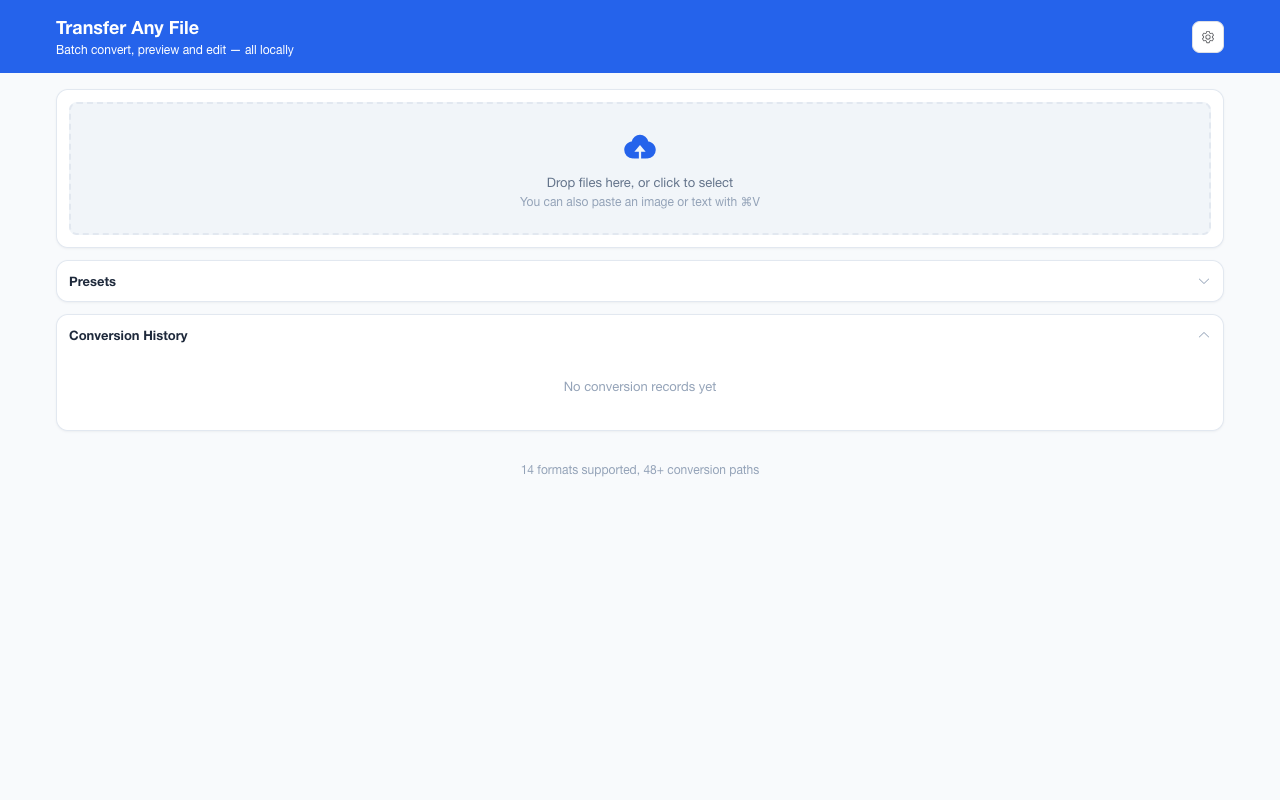
不需要账号,也不需要联网:装好扩展后点图标,在新标签页里打开工作台,文件从磁盘直接选。No account and no network: install the extension, click its icon, and the workbench opens in a new tab reading straight off your disk.
从 Chrome 应用商店安装Install from the Chrome Web Store 安装步骤Install steps GitHub 源码Source on GitHub
最后更新 2026-10-21Last updated: 2026-10-21