
离线 · 无上传 · 浏览器本地完成Offline · no uploads · runs in the browser
JSON 转换:全部可用目标JSON conversions: every available target
JSON 的麻烦不在语法,而在形状:顶层是对象还是数组,元素是不是都有同一组键。这条管线把对象数组当作表格,把嵌套对象序列化成单元格文本,把没有键的元素放进合成 `_value` 列——宁可多一列,也不静默丢行。The trouble with JSON is not syntax but shape: whether the top level is an object or an array, and whether its elements share keys. This pipeline treats an array of objects as a table, serialises nested objects into cells, and puts keyless elements in a synthetic `_value` column — a spare column is better than a silently missing row.
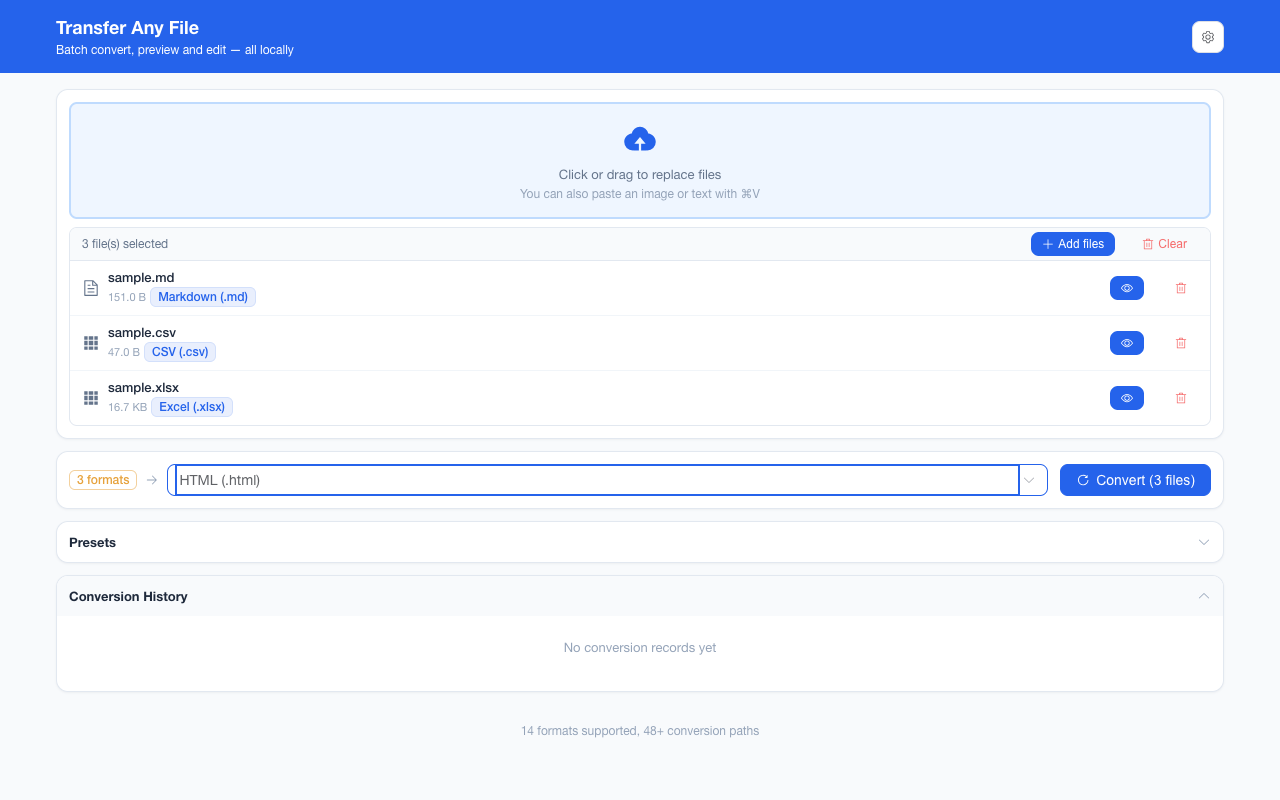
全部可用目标Every available target
-
MarkdownMarkdown 2 步2 steps
JSONJSON HTMLHTML MarkdownMarkdown
JSON 先渲染成语法着色的查看器,再逐行落成 Markdown:键、值与 `Object(4)` 摘要都作为文字保留,没有标题也没有列表。全程离线。Each JSON line becomes its own Markdown paragraph: keys, values and the Object(4) summaries stay as words. No headings, no lists, nothing uploaded.
-
HTMLHTML 1 步1 step
JSONJSON HTMLHTML
把 JSON 变成一份能双击打开的自包含网页:可折叠的层级树、按类型着色、数组与对象带计数,值全部作为转义文字呈现。JSON becomes a self-contained page you can double-click: a collapsible tree, colour by type, array and object counts, every value escaped as text.
-
Word (.docx)Word (.docx) 2 步2 steps
JSONJSON HTMLHTML Word (.docx)Word (.docx)
把 JSON 的结构交给 .docx:产物里带的是那份可折叠查看器的 HTML,Word 打开时才排版。全程离线,文件不出本机。JSON becomes a .docx carrying the structure viewer’s own HTML: Word lays it out when the file opens. Fully offline — nothing is uploaded.
-
PDFPDF 2 步2 steps
JSONJSON HTMLHTML PDFPDF
先把 JSON 渲染成可折叠的语法高亮查看器,再把这份页面按 A4 分页写成 PDF。产物是位图、没有文字层,但结构与配色都在。JSON becomes a collapsible, colour-coded viewer, and that page is captured to A4 pages inside a PDF — an image with no text layer, structure and colours intact.
-
Excel (.xlsx)Excel (.xlsx) 2 步2 steps
JSONJSON CSVCSV Excel (.xlsx)Excel (.xlsx)
浏览器本地把 JSON 数组转成 .xlsx:表头取所有对象键的并集,嵌套对象与数组以 JSON 文本进单元格。链路是 JSON → CSV → Excel,中间不落盘。Turn a JSON array into .xlsx locally: the header is the union of every object’s keys and nested values go into the cell as JSON text, routed via CSV.
-
CSVCSV 1 步1 step
JSONJSON CSVCSV
浏览器本地把 JSON 对象数组转成 CSV:表头取所有键的并集,嵌套值以 JSON 文本入格,公式注入被转义,带 UTF-8 BOM。Convert a JSON array of objects to CSV locally: headers are the union of every key, nested values land as JSON text, formula injection is escaped, UTF-8 BOM.
-
纯文本 (TXT)plain text (TXT) 2 步2 steps
JSONJSON HTMLHTML 纯文本 (TXT)plain text (TXT)
把 JSON 变成结构查看器那份可读文字:每个键值各占一行、引号保留,配色与缩进不带过去。全程离线,文件不出本机。JSON becomes the viewer’s readable text: one key and value per line, quotes kept, colour and indentation lost. Fully offline — nothing is uploaded.
-
PNGPNG 2 步2 steps
JSONJSON HTMLHTML PNGPNG
先把 JSON 渲染成可折叠的查看器,再把整页无损截成一张 PNG:换行由排版决定,高度超过 32768 px 就报错而不是截断。全程离线。The viewer is captured whole into one lossless PNG: wrapping follows the layout, and past 32768 px of height it fails instead of truncating. Offline.
-
JPEGJPEG 3 步3 steps
JSONJSON HTMLHTML PDFPDF JPEGJPEG
JSON 先渲染成查看器,再按 A4 分页写成无损页面、逐页编码成 JPEG:多页会打包成 ZIP,长文件一页一张。全程离线。JSON renders as the viewer, is written as lossless A4 pages, then each page is encoded to JPEG: several pages arrive in a ZIP. Fully offline.
-
WebPWebP 3 步3 steps
JSONJSON HTMLHTML PDFPDF WebPWebP
三步:先做可折叠查看器那份 HTML,再按 A4 渲染成无损 PNG 切片写进 PDF,最后逐页画白底编码成 WebP。缩进是样式、预算提示会一起进图。Three steps via a PDF: the viewer’s HTML, A4 pages as lossless PNG slices, then one WebP encode per page — budget notices included.
这个来源格式的共同限制What holds for every target from this source
- 表格类目标要求顶层是数组且至少有一个可落脚的值;空数组与全空对象会明确报错Table targets need a top-level array with at least one value to place; an empty array or an all-empty object fails explicitly
- 嵌套对象与数组在 CSV / Excel 单元格里变成 JSON 文本,结构化关系不在目标格式里重建Nested objects and arrays become JSON text inside a CSV / Excel cell, and the structure is not rebuilt by the target
- 文档与图片路线走的是语法着色查看器,不是数据表;键顺序与缩进按渲染结构决定Document and image routes go through a syntax-coloured viewer rather than a table; key order and indentation follow the rendering
- JSON 里的 HTML 字符串不会被执行:渲染前经过净化,事件属性与脚本被移除HTML strings inside the JSON never execute: the rendering is sanitised, removing event attributes and scripts
常见问题Questions people actually ask
顶层是对象而不是数组,能转 Excel 吗?Can a top-level object, not an array, become Excel?
表格路线要求数组。单个对象没有「行」的概念,转换会报「不是数组」。若对象里包着一个数组,先把它取出来存成 JSON 数组再转。The table route needs an array. A single object has no notion of rows, so the conversion reports that the input is not an array. If an object wraps an array, extract that array into its own JSON file first.
嵌套对象会丢吗?Are nested objects lost?
不会丢,但会变成文本。CSV / Excel 的一格里放不下层级,嵌套值被序列化成 JSON 字符串;需要逐层展开时,转 HTML 查看器或保持 JSON 格式更合适。Not lost, but flattened into text. A CSV / Excel cell cannot hold a hierarchy, so a nested value is serialised as a JSON string. When the levels matter, the HTML viewer or keeping JSON is the better route.
数组里混了字符串和对象怎么办?What if an array mixes strings and objects?
对象按各键成列,没有键的元素写进合成 `_value` 列。若恰好已有同名列,会改用 `_value_2` 之类不冲突的名字——两条数据都保留,不会覆盖。Objects fill their own keys, and elements without keys go into a synthetic `_value` column. If a record already declares that name, a non-conflicting `_value_2` is used — both pieces of data survive.
JSON 转 PDF 后能复制文字吗?Can text be copied out of a JSON to PDF result?
不能。PDF 路线把语法着色后的查看器渲染成页面图像,文字不可选中。需要可复制的文本请选 TXT、HTML 或 Markdown。No. The PDF route renders the syntax-coloured viewer into page images, so the text is not selectable. Choose TXT, HTML or Markdown when it has to stay copyable.
不需要账号,也不需要联网:装好扩展后点图标,在新标签页里打开工作台,文件从磁盘直接选。No account and no network: install the extension, click its icon, and the workbench opens in a new tab reading straight off your disk.
从 Chrome 应用商店安装Install from the Chrome Web Store 安装步骤Install steps GitHub 源码Source on GitHub
最后更新 2026-10-21Last updated: 2026-10-21