
离线 · 无上传 · 浏览器本地完成Offline · no uploads · runs in the browser
SVG 转 WebP——本地栅格化,还带透明SVG to WebP locally — rasterised with alpha kept
这一条与 SVG → JPEG 是同一次栅格化的两个出口,差别集中在最后那一步容器:WebP 有 Alpha,所以透明图标不必先铺白;同时它通常更小。代价是兼容性由接收方决定——需要"任何设备都打开"时 JPEG 仍是更稳的答案,需要无损时该走 PNG。这三条判断只关于容器,源侧完全一致,所以同一份 SVG 三种格式各出一张比较,成本很低。This is the same rasterisation as SVG to JPEG leaving by a different door, and the difference lives entirely in the container: WebP has an alpha channel, so a transparent icon does not have to be laid on white first, and it is usually smaller. The price is that compatibility is the recipient’s call — where "must open anywhere" is the requirement JPEG remains the safer answer, and where losslessness is the requirement PNG belongs. All three judgements are about the container while the source side is identical, so comparing one SVG across the three formats is cheap.
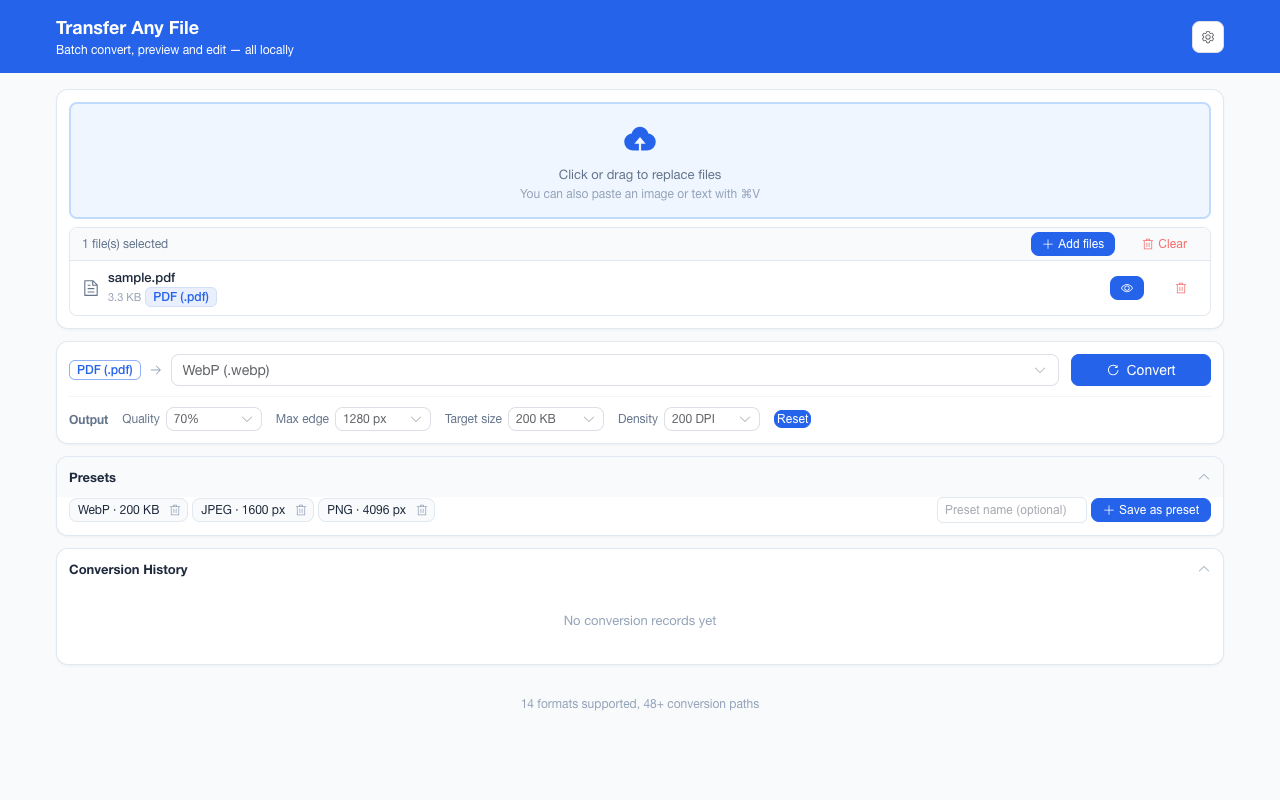
这条链路怎么走How the route runs
SVGSVG WebPWebP
共 1 步,由扩展的路径搜索自动选出,中间产物不落盘。1 step, chosen by the extension's own path search; intermediate results never touch the disk.
会保留什么What carries over
- Alpha 通道:透明区域的背景能留在产物里,这是相对 JPEG 的实质差别The alpha channel: a transparent background stays transparent in the result, which is the real difference against JPEG
- 图形按矢量渲染路径落地:路径、渐变、描边、文字在栅格化时算,不是截屏再放大The artwork lands along the vector render path — shapes, gradients, strokes and text computed at rasterisation, not magnified from a screenshot
- 尺寸推断优先级明确:可用的 `width` / `height` → `viewBox` → 1024 px 方形A stated size priority: a usable `width` / `height`, then the `viewBox`, then a 1024 px square
- 安全处理在编码前:脚本与事件属性被剥离后才画到画布Safety applied before encoding: scripts and event-handler attributes are stripped before anything paints
- 质量档 40%–90%、目标体积 20 KB–2 MB、最长边 800–4096 px 在终点编码生效;超过画布上限自动收敛Quality steps of 40%–90%, target sizes of 20 KB–2 MB and longest edges from 800 to 4096 px act at the final encode, scaling rather than clipping past the canvas ceiling
如实说明的限制What it does not do
- 矢量性丢失:产物是位图,放大就糊;要任意缩放请保留 SVG(可走 SVG → HTML 原样嵌入)Vector-ness is gone: the result is a bitmap that softens when enlarged — keep the SVG (or embed it as it is via SVG → HTML) when scale matters
- 外部引用不请求:远程 `<image>`、外链字体与远程 CSS 都不出现,位置按空白或系统字体呈现External references are never requested, so remote `<image>` elements, web fonts and remote CSS are absent, reading as blank or system type
- 动画只出一帧:SMIL 与 CSS 动画在栅格化时定格Animation keeps one frame: SMIL and CSS animation freeze at rasterisation
- 接收方支持由它决定:部分旧版邮件客户端与办公套件仍不友好,这时 PNG 或 JPEG 更稳Whether WebP opens is the recipient’s call: some older mail clients and office suites are still unfriendly, where PNG or JPEG is steadier
- 有损编码:要"栅格化但一点不丢"请走 SVG → PNGIt is a lossy encode: for a rasterisation that discards nothing, take SVG → PNG
- 方向不可逆:浏览器不提供 SVG 编码器,WebP → SVG 不存在The direction is one-way: no browser encodes SVG, so WebP → SVG does not exist
实操提示Working with it
- 三个出口的分工:PNG 无损、WebP 更小且带透明、JPEG 兼容性最好——同一份 SVG 各出一张再比,是最省事的判断法How the three doors divide the work: PNG lossless, WebP smaller with alpha, JPEG best-supported — rendering one SVG three ways and comparing is the least effort that actually decides
- 图标类小图常遇到"看着偏软",多半是源尺寸本来就小:把源 `width` 写大一点再转,比放大产物更干净Small icons often read soft because the source was small: raising `width` in the file before converting is cleaner than enlarging the result
- 一批可以混着来,也可以中途取消;取消后已完成的部分会被如实标成"被中断"Batches can mix formats and can be cancelled part-way; a cancelled run is reported truthfully as interrupted rather than as success
常见问题Questions people actually ask
和 SVG → PNG 之间我该选哪个?WebP or PNG out of an SVG — which?
看它去哪儿。要塞进网页当资源、体积敏感、接收方是现代浏览器:WebP。要存档、要后续再编辑、或不确定对端能不能开 WebP:PNG。两者都保透明,所以透明不是这里的决定因素。It depends where the file goes. Into a page as an asset, size-sensitive, with a modern browser on the other end: WebP. For an archive, for further editing, or where WebP support is unknown: PNG. Both keep transparency, so that is not the deciding factor here.
为什么转出来的图边缘有轻微噪点?Why is there faint noise around the edges?
有损编码在硬边上的正常代价,图标与线条稿最容易显形。两条改法:把质量档调高,或者直接走 SVG → PNG——透明图上如果本来就只有几种颜色,无损的 PNG 常常并不比 WebP 大很多。That is the ordinary cost of a lossy encode on hard edges, which shows most on icons and line art. Either raise the quality step, or take SVG → PNG: for a mostly-flat transparent image, lossless PNG is often not much larger than WebP.
能一次把整套图标都栅格化吗?Can I rasterise a whole icon set at once?
能,一批最多 200 张,输出参数(最长边、质量、目标体积)一次设置、整批共用,最后可以一个 ZIP 拿回来。这也是给多倍图最省事的做法:同一批跑两遍,分别设 1x 与 2x 的最长边。Yes — up to 200 images per run, with the output parameters (longest edge, quality, target size) set once and shared by the batch, and one ZIP for the result. It is also the cheapest way to make density variants: run the same batch twice at 1x and 2x longest edges.
不需要账号,也不需要联网:装好扩展后点图标,在新标签页里打开工作台,文件从磁盘直接选。No account and no network: install the extension, click its icon, and the workbench opens in a new tab reading straight off your disk.
从 Chrome 应用商店安装Install from the Chrome Web Store 安装步骤Install steps GitHub 源码Source on GitHub
要把它压到指定体积?Need it under a target size? The 图片压缩工具image compressor可以在浏览器里重编码 PNG / JPEG / WebP。 re-encodes PNG / JPEG / WebP in the browser.