
离线 · 无上传 · 浏览器本地完成Offline · no uploads · runs in the browser
JPEG 转 WebP——本地再压一档体积,质量与目标大小可调JPEG to WebP locally — one more step down in size
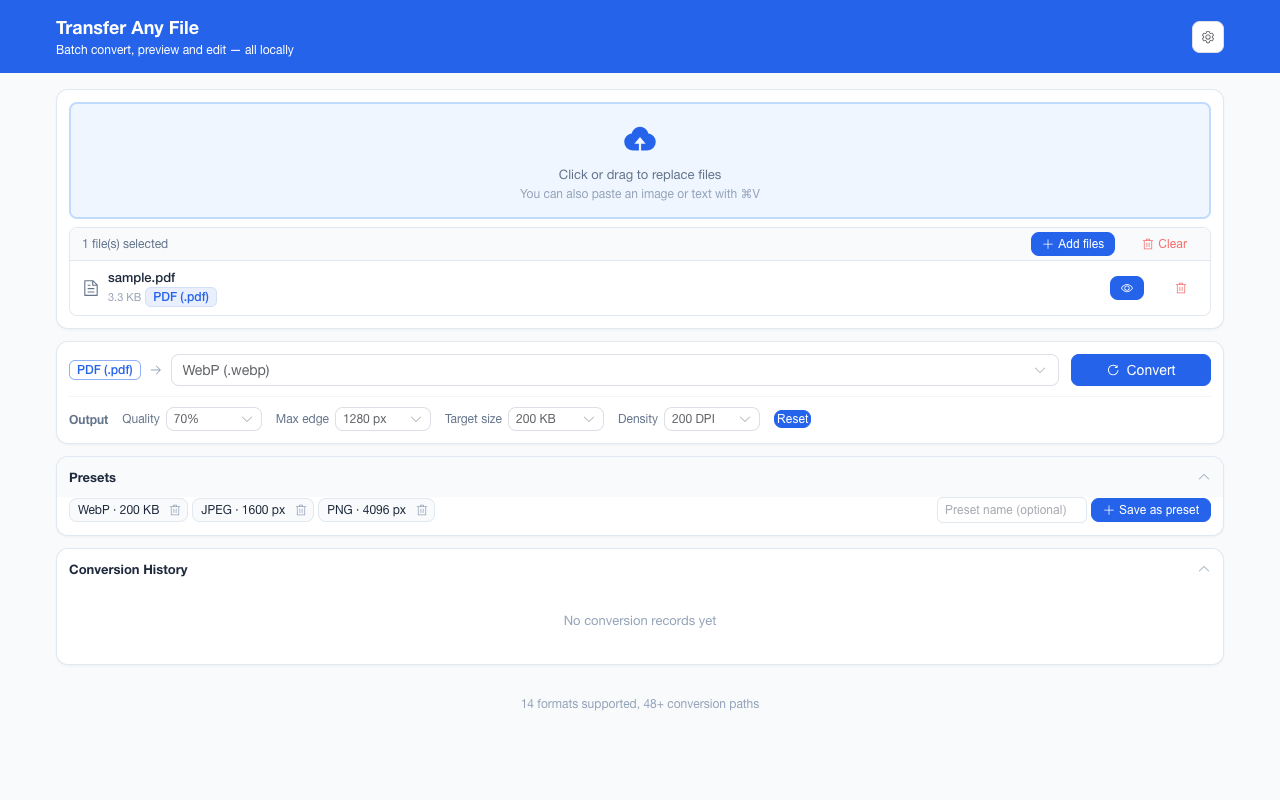
JPEG 与 WebP 都是有损容器,所以这条路的价值主要在体积:同一张图 WebP 常常比 JPEG 更小,而观感不掉。请把「常常」和「保证」分开——省多少取决于图像内容与两个编码器的判断,本项目不给你写一个百分比。操作上的关键还是顺序:设了目标体积时先沿质量阶梯往下试,质量到底还够不着,才开始缩边。所以目标大小是被追的上限;够不着时你拿到的是当前能做到的最小结果。JPEG and WebP are both lossy containers, so this route is about size: the same picture is often smaller as WebP without looking worse. Keep “often” separate from “guaranteed” — how much you save depends on the image and on the two encoders, and this page will not quote you a percentage. The operational point is again the order: with a target size set, the encoder walks the quality ladder and only starts giving up pixels once quality has bottomed out. The target is a chased ceiling, and when it cannot be reached the result is the smallest thing the encoder could make.
这条链路怎么走How the route runs
JPEGJPEG WebPWebP
共 1 步,由扩展的路径搜索自动选出,中间产物不落盘。1 step, chosen by the extension's own path search; intermediate results never touch the disk.
会保留什么What carries over
- 重编码为 WebP:像素尺寸原样,只有你显式设了最长边(800–4096 px)才缩放A re-encode into WebP: pixel dimensions carry over unless you set a longest edge yourself (800–4096 px)
- 质量档 40%–90% 与目标体积 20 KB–2 MB 只在链路末尾那次编码生效,中间步骤不吃这两个参数Quality steps of 40%–90% and target sizes of 20 KB–2 MB act only at the route’s final encode — intermediate steps ignore both
- 目标体积按「先质量、后像素」追,够不着时给回最小结果而不是失败A target size is chased quality-first, pixels-second, and an unreachable one returns the smallest result instead of failing
- 8192 px 是编码器侧的硬上限,超过就先缩而不是静默裁切A hard 8192 px encoder ceiling behind it, so oversized renders shrink rather than clip
- 一批最多 200 张、单个文件 100 MB 上限,结果可一次打包成 ZIPUp to 200 images per batch with a 100 MB per-file ceiling, downloadable as one ZIP
如实说明的限制What it does not do
- JPEG → WebP 是第二次有损编码:原始文件还在的话,从原始 PNG 出发只损失一次JPEG → WebP is a second lossy pass: if the original is still around, start from the PNG and lose less once
- 源 JPEG 本来就没有透明通道,产物也不会有——需要透明请从 PNG 走A JPEG source has no alpha to carry, so the output will not gain one — take the PNG route when transparency matters
- WebP 能不能被打开由接收方决定;要「任何设备都能开」,JPEG 仍是更安全的答案Whether WebP opens is the recipient’s call; where “any device must open it” is the requirement, JPEG remains the safer answer
- BMP / GIF / SVG 只能作为输入:浏览器不提供它们的编码器BMP, GIF and SVG are input-only: a browser ships no encoder for them
实操提示Working with it
- 输出参数在界面里设置一次会被记住,同一批的所有图片共用The output parameters are read once per batch and remembered between runs
- 同一批也可以把目标换成 PNG 或 JPEG;三种可写格式共享同一套参数语义The same batch can target PNG or JPEG instead — the three writable formats share one parameter vocabulary
常见问题Questions people actually ask
WebP 一定比 JPEG 小吗?Is WebP always smaller than JPEG?
不保证。多数照片与图形界面截图会明显小一些,但幅度取决于内容;这条页不写具体百分比,因为那是可以实测的东西,不该靠印象。Not guaranteed. Most photographs and interface screenshots come out clearly smaller, but the margin is a property of the content, and this page will not quote a percentage that has not been measured.
目标大小够不着会怎样?What if the target size cannot be reached?
质量阶梯走完、像素也缩到位之后,产物就是当前最小可行结果——转换不会失败,但也不会为了达标而把图砍坏。Once the quality ladder is walked and the pixels have been shrunk, the result is the smallest thing that still encodes: the conversion does not fail, and it does not mangle the picture to hit the number.
能一次转很多张吗?Can I convert many at once?
能,一批最多 200 张,来源格式可以混;单个文件失败只报该文件,其余继续,结果可一次打包成 ZIP。Yes — up to 200 images per run with mixed sources, one bad file reporting only itself while the batch continues, all downloadable as one ZIP.
不需要账号,也不需要联网:装好扩展后点图标,在新标签页里打开工作台,文件从磁盘直接选。No account and no network: install the extension, click its icon, and the workbench opens in a new tab reading straight off your disk.
从 Chrome 应用商店安装Install from the Chrome Web Store 安装步骤Install steps GitHub 源码Source on GitHub
要把它压到指定体积?Need it under a target size? The 图片压缩工具image compressor可以在浏览器里重编码 PNG / JPEG / WebP。 re-encodes PNG / JPEG / WebP in the browser.