
离线 · 无上传 · 浏览器本地完成Offline · no uploads · runs in the browser
SVG 转 JPEG——本地栅格化,尺寸与质量可控SVG to JPEG locally — rasterised in place, size you set
SVG 到 JPEG 必然是"从矢量到点阵"的一次落地,所以真正要选的两个参数是:多大、多糊。这一条把决定权给你:尺寸按文件自己声明的 width / height 或 viewBox 来,两者都不是可用数字时按 1024 px 方形出图;清晰度靠最长边与质量档。另外有一件事与所有"从 SVG 出"的路一样:作为图像加载的 SVG 不会去取外部资源,所以远程引用的 `<image>`、外链字体都不会出现——这不是失败,是离线承诺的必然结果。SVG to JPEG is necessarily a landing from vector to pixels, so the two real choices are how big and how soft — and this route hands both to you: the size comes from what the file declares as width / height or viewBox, falling back to a 1024 px square when neither reads as a usable number, while sharpness is a matter of longest edge and quality step. One thing holds for every route out of SVG: an SVG loaded as an image fetches nothing external, so `<image>` references pointing off-file and web fonts simply do not appear. That is not a failure but the offline guarantee working as designed.
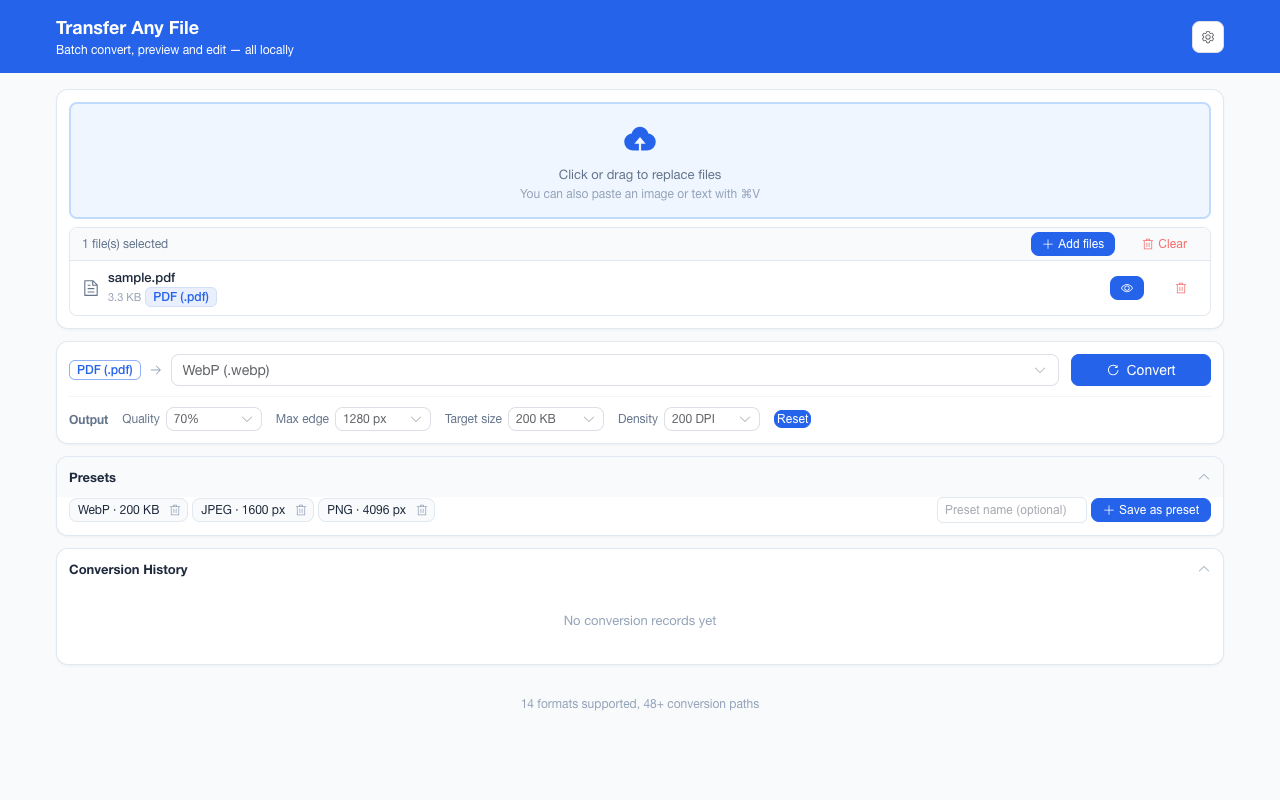
这条链路怎么走How the route runs
SVGSVG JPEGJPEG
共 1 步,由扩展的路径搜索自动选出,中间产物不落盘。1 step, chosen by the extension's own path search; intermediate results never touch the disk.
会保留什么What carries over
- 图形本体按矢量渲染路径落地:路径、渐变、文字、描边、透明度都在栅格化时算,不是先截屏再放大The artwork lands along the vector render path: shapes, gradients, text, strokes and opacity are computed at rasterisation rather than magnified from a screenshot
- 尺寸推断有明确优先级:`width` / `height` 是纯数字或 px 值时取它,否则退到 `viewBox` 的宽高,两者都不成立时给 1024 px 方形A stated priority for size: `width` / `height` when either reads as a plain number or px length, otherwise the `viewBox` extent, and a 1024 px square when neither holds
- 安全处理在编码之前:脚本与事件属性被剥离,不干净的标记进不了画布Safety is applied before encoding: scripts and event-handler attributes are stripped, so unclean markup never reaches a canvas
- 质量档 40%–90%、目标体积 20 KB–2 MB、最长边 800–4096 px,都在终点编码生效;超过画布上限会自动收敛而不是裁切Quality steps of 40%–90%, target sizes of 20 KB–2 MB and longest edges from 800 to 4096 px act at the final encode; past the canvas ceiling it scales rather than clips
- 一批最多 200 张、单个文件 100 MB 上限,结果可一次打包成 ZIPUp to 200 images per batch with a 100 MB per-file ceiling, downloadable as one ZIP
如实说明的限制What it does not do
- 矢量性丢失:产物是位图,放大就糊;需要"任意缩放清晰"请保留 SVG 本身(本项目可 SVG → HTML,把矢量原样嵌进网页)Vector-ness is gone: the result is a bitmap that softens when enlarged. Where "sharp at any size" is the requirement, keep the SVG — this project can also do SVG → HTML, which embeds the vector as it is
- 透明不保留:JPEG 没有 Alpha,编码前画布铺白,所以带透明的 SVG 图形落在白底上Transparency does not survive: JPEG has no alpha channel and the canvas is painted white first, so a transparent diagram arrives on white
- 外部引用取不到:`<image href="http…">`、外链字体与远程 CSS 都不会被请求,那些位置按空白或系统字体呈现External references cannot be fetched: `<image href="http…">`, web fonts and remote CSS are never requested, so those positions read as blank or as system type
- 动画只出一帧:SMIL 与 CSS 动画在栅格化时定格,产物是静态图Animation keeps one frame: SMIL and CSS animation are frozen at rasterisation, and the output is a still image
- 方向不可逆:浏览器不提供 SVG 编码器,JPEG → SVG 不存在;SVG 在这里只能作为输入The direction is one-way: a browser ships no SVG encoder, so JPEG → SVG does not exist — SVG is input-only here
- 解析失败(XML 不合法、根元素不是 `<svg>`)会明确报解码失败,而不是给一张空图A parse failure (malformed XML, a root element that is not `<svg>`) reports a decode error rather than producing a blank image
实操提示Working with it
- 需要透明就选 SVG → PNG(无损、带 Alpha)或 SVG → WebP(更小、带 Alpha);只有"必须任何设备可开"才落在 JPEGFor transparency choose SVG → PNG (lossless, alpha) or SVG → WebP (smaller, alpha); land on JPEG only when "must open anywhere" is the requirement
- 出图偏小多半是源文件没写尺寸:给 `<svg>` 补一个 `width`(或让它有 `viewBox`)再转,比事后放大更清楚A surprisingly small output usually means the source declared no size: giving the `<svg>` a `width`, or a `viewBox`, and converting again beats upscaling afterwards
- 同一份 SVG 还能转 HTML——那条保留矢量本身,适合放进网页直接显示The same SVG can go to HTML, which keeps the vector itself and is the better shape for displaying on a page
常见问题Questions people actually ask
转出来比我预期小,为什么?Why did it come out smaller than I expected?
因为尺寸是从文件自己声明里读的:`width="100%"` 这种相对值不算可用数字,会退到 viewBox,再退到 1024 px 方形。想要更大,把源文件的 `width` / `height` 写成具体像素值,或者在输出参数里把最长边设大——后者是对已有结果做重采样,前者是让源说清楚。Because the size is read from what the file declares: a relative value such as `width="100%"` is not a usable number, so it falls back to the viewBox and then to a 1024 px square. For a larger result, either write concrete pixel values into the source’s `width` / height, or raise the longest edge in the output parameters — the second resamples what was produced, the first makes the source say what it means.
为什么图里有一块是空的?Why is part of the picture missing?
最常见的原因是那块内容不在文件里:它是 `<image>` 引用的远程图,或是外链字体的文字——两者在离线前提下都不会被请求。改法是把需要的资源内联进 SVG(图片转成 data URI、字体转成路径或内联),再转一次。Most often because that content was never inside the file: it is a remotely referenced `<image>`, or text set in a web font — neither of which is requested under the offline guarantee. The fix is to inline what you need into the SVG, as a data URI for the picture and outlines or inlined faces for the type, and convert again.
动画 GIF 那种"会动"的效果能保住吗?Can the animation survive?
不能,JPEG 是静态容器。要保留动,SVG 本身就可以直接嵌进 HTML(本项目有这条路);需要栅格化的动态图,得用支持动画的格式,而那不在浏览器可编码的范围内。No — JPEG is a still container. To keep motion, embed the SVG itself in HTML, which this extension can do; a raster animation needs an animated format, and none of those are inside what a browser will encode.
不需要账号,也不需要联网:装好扩展后点图标,在新标签页里打开工作台,文件从磁盘直接选。No account and no network: install the extension, click its icon, and the workbench opens in a new tab reading straight off your disk.
从 Chrome 应用商店安装Install from the Chrome Web Store 安装步骤Install steps GitHub 源码Source on GitHub
要把它压到指定体积?Need it under a target size? The 图片压缩工具image compressor可以在浏览器里重编码 PNG / JPEG / WebP。 re-encodes PNG / JPEG / WebP in the browser.