
离线 · 无上传 · 浏览器本地完成Offline · no uploads · runs in the browser
Excel 转 HTML——每个工作表一张表,本地生成Excel to HTML offline — one table per sheet
需要把表格贴进内网、邮件或静态站点时,Excel 的公式与样式反而成了负担。这条路径用 SheetJS 读工作簿(`cellDates` 标记日期、统一 `dateNF` 决定渲染格式),把每个工作表转成一张 HTML 表:多张表时每张前加 `<h2>工作表名</h2>`,只保留表格片段,再整体过一遍 DOMPurify,最后包成带字符集与标题的完整文档。产物是单个 .html,所有工作表都在里面,没有脚本、没有外部依赖。When a table has to go into an intranet page, an email or a static site, Excel’s formulas and styling become baggage. This route reads the workbook with SheetJS (`cellDates` flags dates and one `dateNF` decides how they render), turns each sheet into an HTML table, puts an `<h2>` with the sheet name in front of each when there is more than one, keeps only table fragments, sanitizes the whole thing with DOMPurify and wraps it into a full document with a charset and title. The result is one .html with every sheet inside, no scripts and no external dependencies.
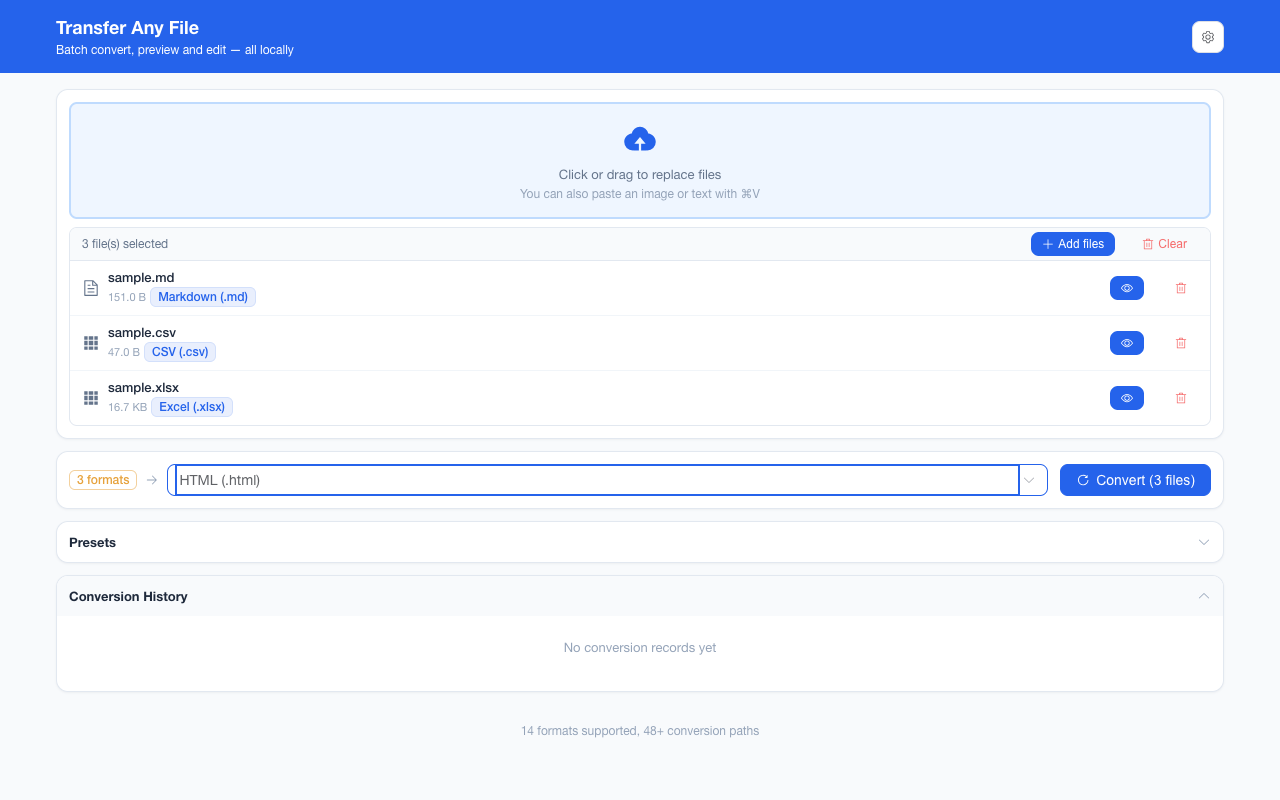
这条链路怎么走How the route runs
Excel (.xlsx)Excel (.xlsx) HTMLHTML
共 1 步,由扩展的路径搜索自动选出,中间产物不落盘。1 step, chosen by the extension's own path search; intermediate results never touch the disk.
会保留什么What carries over
- 每个工作表都导出,多表时用 `<h2>` 标出表名,不会只给你第一张Every sheet is exported, with an `<h2>` naming each one when there are several — never just the first
- 单元格值按显示文本落地:日期由统一格式渲染成文本,不做本地化猜测Cell values land as displayed text: dates are rendered through one fixed format rather than a locale guess
- 公式单元格取工作簿里缓存的计算结果,HTML 里不写公式本身Formula cells carry the cached result stored in the workbook; the formula itself is not written into the HTML
- 产物是一个独立完整的 .html(声明字符集与标题),双击即可离线打开The output is one complete .html with a charset and title that opens offline on a double-click
- 一批最多 200 个文件、单个 100 MBUp to 200 files per batch at 100 MB each
如实说明的限制What it does not do
- 不带 Excel 的视觉样式:字体、填充色、边框、行高列宽、条件格式与冻结窗格都不会出现Excel’s visual styling does not come along: fonts, fills, borders, row heights and column widths, conditional formatting and frozen panes are absent
- 工作簿里的图片、图表与批注不进入 HTML——表格序列化只处理单元格Images, charts and comments inside the workbook do not enter the HTML — the table serializer handles cells
- 多工作表一定合并进同一个 HTML;要“一表一文件”请走 Excel → CSV(多表会打成 ZIP)Multiple sheets always share one HTML; for one file per sheet, use Excel → CSV, which packs them into a ZIP
- 不给 Excel 回读:HTML 是单向出口,要回到表格请用 CSV → ExcelExcel cannot read it back: HTML is a one-way exit, so return to a spreadsheet through CSV → Excel
实操提示Working with it
- 适合把报表、名单与导出数据发布成可离线打开的静态页Good for publishing a report, a roster or an export as a static page that opens offline
- 要保留单元格里的原始值给下游程序,CSV 或 JSON 更合适;这条路径面向“给人看”For raw cell values feeding another program, CSV or JSON fits better; this route is aimed at people reading
- 同一份 .xlsx 还能转 PDF(整页渲染、无文字层)或 CSVThe same .xlsx can go to PDF (whole-page rendering, no text layer) or CSV
常见问题Questions people actually ask
日期为什么变成了文本?Why did dates become text?
Excel 的日期本质是一个带格式的数字。这条路径在解析时把日期单元格标记出来,再按统一格式渲染成文本,避免出现 45296 这样的序列号;代价是失去了 Excel 里的区域化显示。An Excel date is a number with a format. This route flags date cells while parsing and renders them through one fixed format, so a serial like 45296 does not leak through; the cost is Excel’s locale-specific display.
多个工作表会分开下载吗?Are multiple sheets downloaded separately?
不会。它们按顺序进入同一个 HTML,每张前面有 `<h2>` 表名;想一表一个文件,请用 Excel → CSV,那条会把多表打包成 ZIP。No. They enter one HTML in order, each preceded by an `<h2>` with its name; for one file per sheet, use Excel → CSV, which packs them into a ZIP.
样式和图表去哪了?Where did the styling and charts go?
都没有进入产物。表格序列化只输出单元格文本与表格结构,Excel 的字体、颜色、条件格式、图片与图表不在其中;这是“变成网页表格”而不是“把 Excel 截图成网页”。Neither made it into the result. The table serializer writes cell text and table structure only; Excel’s fonts, colours, conditional formatting, images and charts are not part of it. This turns the workbook into a web table, not into a screenshot of Excel.
不需要账号,也不需要联网:装好扩展后点图标,在新标签页里打开工作台,文件从磁盘直接选。No account and no network: install the extension, click its icon, and the workbench opens in a new tab reading straight off your disk.
从 Chrome 应用商店安装Install from the Chrome Web Store 安装步骤Install steps GitHub 源码Source on GitHub