
离线 · 无上传 · 浏览器本地完成Offline · no uploads · runs in the browser
Excel 转 CSV(.xlsx → .csv)——取值不取显示文本,离线Excel to CSV (.xlsx → .csv) offline — cell values, not text
Excel 里一个单元格「显示成什么」和「存的是什么」是两件事:1234.5 可以显示为 "1,234.50",0.25 可以显示为 25.0%。多数转换翻车就翻在这里——导出的其实是显示文本。本项目从单元格值序列化(在 xlsx 0.18.5 上实测过 SheetJS 各条序列化为什做不到,所以走 sheet_to_json 那条),日期统一成机器可读的两段式,文件开头写 UTF-8 BOM,于是 Excel 双击打开不乱码。In Excel, what a cell displays and what it stores are two different facts: 1234.5 can display as "1,234.50" and 0.25 as 25.0%. Most conversions fail on exactly that line, exporting the display text. This route serialises from the stored value — measured against xlsx 0.18.5, where the obvious serializer cannot do it, which is why it goes through sheet_to_json — normalises dates into one machine-readable shape, and writes a UTF-8 BOM so Excel opens the result without mojibake.
这条链路怎么走How the route runs
Excel (.xlsx)Excel (.xlsx) CSVCSV
共 1 步,由扩展的路径搜索自动选出,中间产物不落盘。1 step, chosen by the extension's own path search; intermediate results never touch the disk.
会保留什么What carries over
- 数值按存储值写出:格式化成 "1,234.50" 的单元格仍然输出 1234.5,百分比显示的 0.25 仍然输出 0.25Numbers come from the stored value: a cell formatted "1,234.50" still writes 1234.5, and a percentage-displayed 0.25 still writes 0.25
- 日期在读取期就统一为 yyyy-mm-dd hh:mm:ss(只含日期的落成 YYYY-MM-DD),不受所在时区影响Dates are normalised at read time to yyyy-mm-dd hh:mm:ss (date-only cells land as YYYY-MM-DD), so the result does not depend on your timezone
- 开头写入 UTF-8 BOM,Excel 直接双击打开即正常显示中文A UTF-8 BOM heads the file, so Excel opens it with Chinese intact on a double click
- 以 = + - @ 制表符 开头的文本被转义,避免 CSV 在 Excel 里被重新执行成公式Text beginning with = + - @ or a tab is escaped, so the CSV cannot be re-executed as formulas in Excel
- 引号、逗号、换行按 RFC 4180 规则处理,与 Excel 自己的写出行为一致(实测比对)Quoting of quotes, commas and line breaks follows RFC 4180 and matches what Excel itself writes out (compared byte for byte)
如实说明的限制What it does not do
- 多个工作表的工作簿会给出「每表一份 CSV」,一起装进 ZIP;只有一个工作表时直接给 CSVA workbook with several sheets yields one CSV per sheet, packed as a ZIP; a single sheet yields a CSV directly
- 公式导出为它上次算出的缓存值;从没被计算过的公式没有缓存,导出为空A formula exports its cached result; a formula never evaluated has no cache to export and comes out empty
- 图表、透视表、条件格式、单元格样式、批注在 CSV 里没有位置,全部不出现Charts, pivot tables, conditional formats, cell styles and comments have nowhere to live in CSV, so they do not appear
实操提示Working with it
- 单文件上限 100 MB,一批最多 200 个文件;超过 20 MB 或文件较多时会先请你确认再开转100 MB per file and 200 files per batch; above 20 MB or a large count the app asks before starting
- CSV 是纯文本,结果也能直接在工作台里预览和复制CSV is plain text, so the result previews in the workbench and can be copied from there
常见问题Questions people actually ask
为什么多 sheet 给了一个 ZIP?Why a ZIP for multiple sheets?
因为一个 CSV 只能表达一张平面表格,而把多个 sheet 拼进一个文件会制造无法还原的行。每表一份 CSV、文件名取工作表名,是唯一不撒谎的结果形状。A CSV can express exactly one flat grid, and merging sheets into one file manufactures rows that cannot be undone. One CSV per sheet, named after the worksheet, is the only result shape that does not lie.
Excel 打开 CSV 出现乱码怎么办?Excel shows mojibake when opening the CSV — why?
本项目已在 CSV 开头写入 UTF-8 BOM,双击打开通常就正常了。若你用的是「数据 → 从文本」导入向导,请手工选 UTF-8。The file already carries a UTF-8 BOM, which is what makes a double click read correctly. If you go through the Data → From Text import wizard instead, choose UTF-8 there yourself.
.xls(97-2003)能转吗?Does it take .xls (97-2003)?
输入侧支持的是 .xlsx;老的二进制 .xls 请先在 Excel 里另存为 .xlsx。The supported input is .xlsx; save legacy binary .xls as .xlsx first.
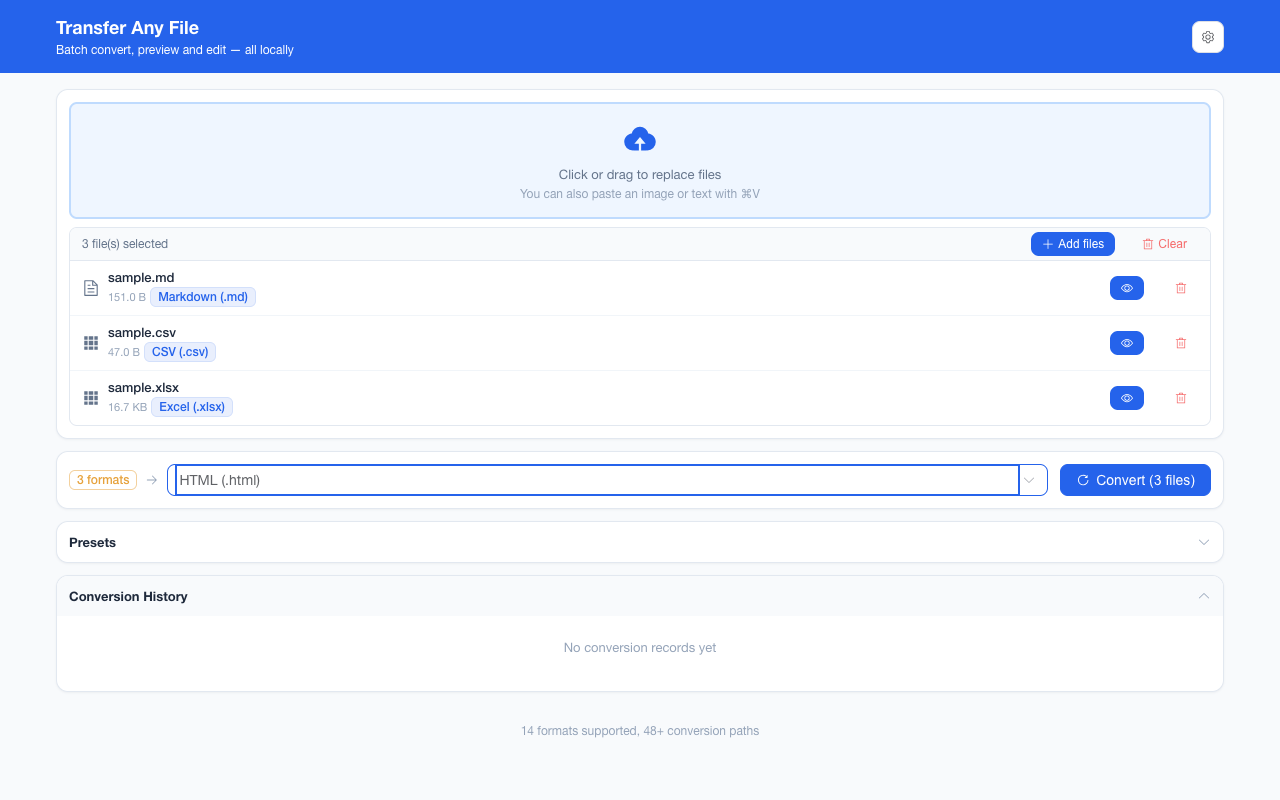
不需要账号,也不需要联网:装好扩展后点图标,在新标签页里打开工作台,文件从磁盘直接选。No account and no network: install the extension, click its icon, and the workbench opens in a new tab reading straight off your disk.
从 Chrome 应用商店安装Install from the Chrome Web Store 安装步骤Install steps GitHub 源码Source on GitHub