
离线 · 无上传 · 浏览器本地完成Offline · no uploads · runs in the browser
HTML 转纯文本——按阅读顺序抽取,不上传HTML to plain text offline — in reading order
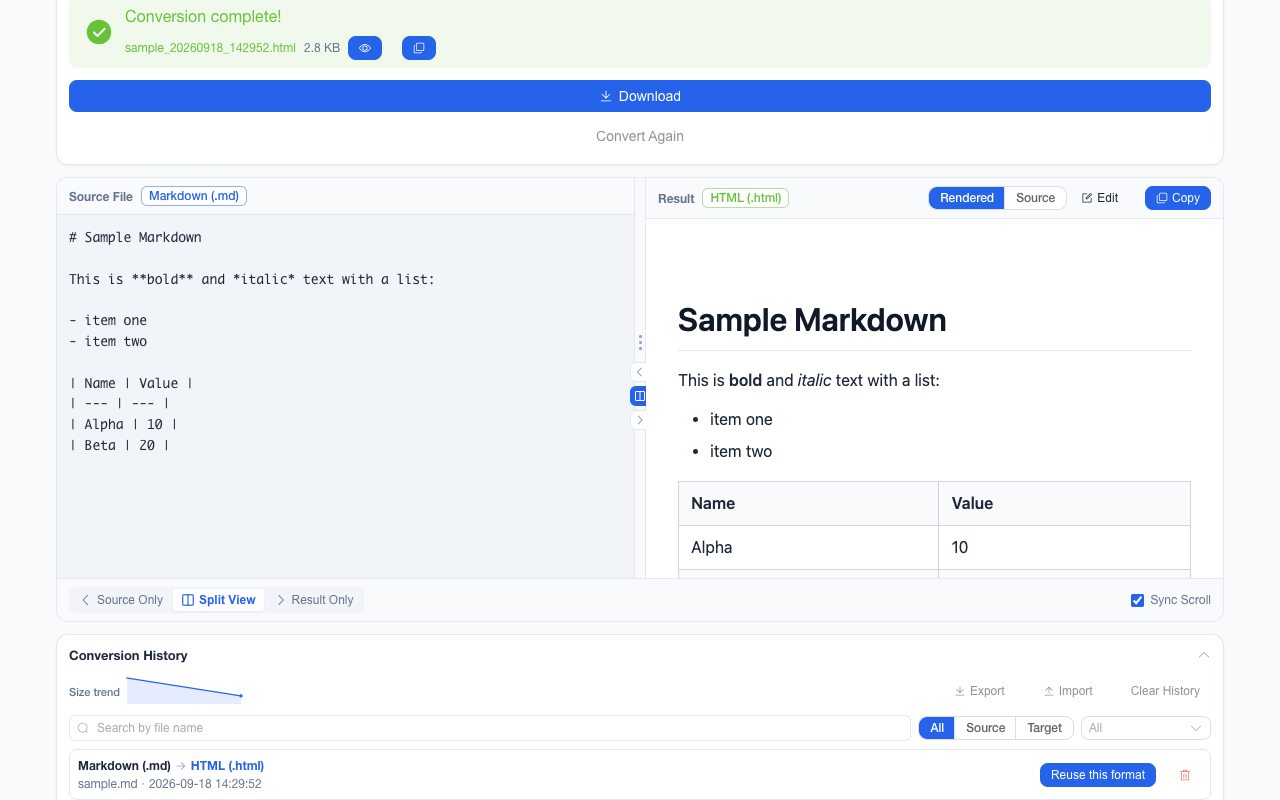
把一封邮件、一篇文档站页面或一段富文本变成纯文本,难点不是去标签,而是保住阅读顺序。这条路径先用 DOMParser 解析,再递归遍历:`script` / `style` / `noscript` 整块丢弃,`<br>` 转换行,图片按 `alt` 写成 `[Image: …]`,有序列表按位置编号并尊重 `start`,嵌套列表每层缩进两个空格,链接在文字后追加 ` [href]`(页内锚点与 `mailto:` 除外),表格的每个单元格后面跟一个制表符,而单元格之间的换行也会照抄进文本:紧凑排版的表格是一行一条记录,源码里换行排版的表格会一格一行。最后把三个以上连续换行压成两个。Turning an email, a docs page or a rich-text fragment into plain text is less about deleting tags than about preserving reading order. This route parses with DOMParser and walks the tree: `script` / `style` / `noscript` are dropped wholesale, `<br>` becomes a newline, images become `[Image: …]` from their `alt`, ordered lists are numbered by position and honour `start`, nested lists indent two spaces per level, links append ` [href]` after their text (in-page anchors and `mailto:` excluded), and each table cell is followed by a tab — newlines between cells in the source are copied into the text too, so a compact table gives one record per line while a source-formatted one gives one cell per line. Runs of three or more newlines collapse to two at the end.
这条链路怎么走How the route runs
HTMLHTML 纯文本 (TXT)plain text (TXT)
共 1 步,由扩展的路径搜索自动选出,中间产物不落盘。1 step, chosen by the extension's own path search; intermediate results never touch the disk.
会保留什么What carries over
- 有序列表按实际位置编号,并尊重 `start`;嵌套层级用两空格缩进表示(最多 6 层)Ordered lists are numbered by position and honour `start`; nesting is shown with two spaces per level, capped at six
- 链接保留 URL,写在链接文字之后;`#` 锚点与 `mailto:` 不追加Links keep their URL after the link text; `#` anchors and `mailto:` are not appended
- 图片用 `alt` 写成 `[Image: alt]`,没有 alt 时写 `[Image]`Images become `[Image: alt]` from their alt text, or `[Image]` when there is none
- 每个单元格后面都跟一个制表符;单元格之间没有换行的表格(例如本扩展自己生成的 HTML 表格)会一行一条记录,而源码里换行排版的表格(marked、美化过的 HTML)会让每格各占一行Every cell is followed by a tab; a table whose cells are not separated by newlines in the source (the HTML this extension itself writes) comes out one record per line, while a source-formatted table (marked, pretty-printed HTML) yields one cell per line
- 复杂 HTML 的解析交给 DOMParser,实体、嵌套与畸形标记都不会让文本错位DOMParser handles the HTML, so entities, nesting and malformed markup do not shift the text
如实说明的限制What it does not do
- 不执行 CSS:`display:none` 或隐藏区域里的文字仍会被抽取,判断“可见”不是这一层的职责CSS is not executed: text inside `display:none` or hidden regions is still extracted, because deciding what is visible is not this layer’s job
- 表格只做制表符分隔,不做列对齐;合并单元格、列宽与表头语义都不会保留Tables get tabs, not alignment; merged cells, column widths and header semantics are not preserved
- 列表只处理有序与无序两种:`type`(字母 / 罗马数字)与 `reversed` 被忽略,编号一律用十进制位置表示Only ordered and unordered lists are handled: `type` (letters, roman numerals) and `reversed` are ignored, and numbering is always decimal position
- 版式、颜色、字号与图片像素全部丢失,产物是纯文本Layout, colour, font size and image pixels are all gone — the result is plain text
- 脚本动态生成的内容不在 HTML 里,也就不会被抽出来Content generated by scripts is not in the HTML, so it cannot be extracted
实操提示Working with it
- 适合做全文检索、给命令行工具喂输入,或把网页正文贴进邮件与工单Good for full-text search, feeding a command-line tool, or pasting a page’s body into an email or a ticket
- 同一份 HTML 还能转 Markdown(保留结构)或 Word(保留可编辑段落);纯文本这条只保留阅读顺序The same HTML can go to Markdown (structure kept) or Word (editable paragraphs); the plain-text route keeps only reading order
常见问题Questions people actually ask
列表编号为什么还在?Why are the list numbers still there?
编号不是文本节点,而是由 `<li>` 的位置生成的。这条路径按位置补上 `1.`、`2.`,并尊重 `<ol start>`;不补的话,一份编号步骤会变成一串没有顺序的句子。The numbers are not text nodes; they are generated from each `<li>`’s position. This route writes `1.`, `2.` from that position and honours `<ol start>`; without it, a numbered procedure would become a run of sentences with no order.
隐藏的文字也会被抽出来吗?Is hidden text extracted too?
会。这一层只按标签结构走,不读 CSS,也不判断元素是否被 `display:none` 隐藏;它回答的是“HTML 里写了什么”,不是“浏览器里看见什么”。Yes. This layer walks the tag structure without reading CSS or checking `display:none`; it answers “what the HTML says”, not “what the browser shows”.
图片为什么变成 [Image]?Why do images become [Image]?
纯文本存不下图片。有 `alt` 时写成 `[Image: alt]`,没有时写 `[Image]`;这是提醒读者原位置有一张图,而不是把图片内容转成文字。Plain text cannot hold an image. With alt text it becomes `[Image: alt]`, without it `[Image]`; the marker tells the reader an image sits there, rather than transcribing its content.
不需要账号,也不需要联网:装好扩展后点图标,在新标签页里打开工作台,文件从磁盘直接选。No account and no network: install the extension, click its icon, and the workbench opens in a new tab reading straight off your disk.
从 Chrome 应用商店安装Install from the Chrome Web Store 安装步骤Install steps GitHub 源码Source on GitHub